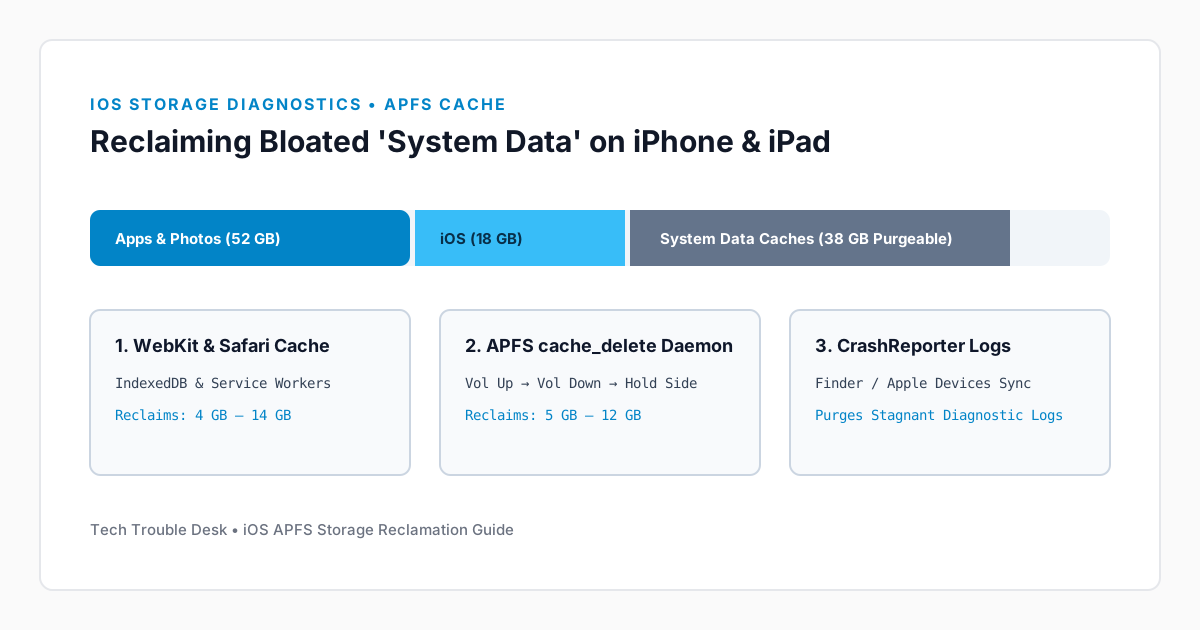
In Settings → General → iPhone Storage, the gray bar labeled System Data (formerly called Other) aggregates non-user-facing caches: Safari WebKit databases, Apple Music/Podcasts streaming buffers, Siri voice assets, iCloud Drive staging files, and unpurged system logs. While 5 GB to 10 GB is normal, bugs in background cache eviction can cause System Data to balloon past 30 GB.
1. Purge Safari Website Data and Large Message Attachments
Safari's offline Service Worker caches and IndexedDB blobs are frequently counted under System Data rather than under the Safari app entry itself.
Step 1: Clear Safari Offline Caches While Keeping Tabs
- Open Settings → Apps → Safari.
- Scroll down and tap Clear History and Website Data.
- Select All history, keep Close All Tabs toggled Off if you wish to preserve your open tabs, and tap Clear History.
2. Trigger APFS Cache Eviction via Forced Restart
iOS runs a background daemon (cache_delete) that frees purgeable APFS blocks when free space drops below critical thresholds or during a clean boot cycle.
Step 2: Perform a Hardware-Level Volume Up/Down Restart
- Press and quickly release the Volume Up button.
- Press and quickly release the Volume Down button.
- Press and hold the Side button until the screen turns black and the Apple logo appears, then release.
- Wait 2 minutes after unlocking, then re-open Settings → General → iPhone Storage and allow the calculation bar to finish indexing.
Why Encrypted Finder/iTunes Sync Frees System Data
Connecting your iPhone to a Mac (Finder) or Windows PC (Apple Devices app) for 10 minutes automatically archives and clears local diagnostic crash logs (/var/mobile/Library/Logs/CrashReporter) that otherwise remain locked in System Data.